
Authentication & Authorization Explained: How They Keep Your App Secure
How Authentication Confirms Identity and Authorization Governs Access

📅 Security isn’t just about keeping intruders out — it’s about making sure the right people can do the right things at the right timeIntroduction
Have you ever signed into an app, got in just fine, but then couldn’t do something you expected to? Like, you’re logged in… but the admin panel is off-limits? Or you’re on Netflix, but can’t watch your sibling’s For Kids profile?
That’s not a bug — that’s authentication and authorization doing their thing behind the scenes.
These two terms often sound like they mean the same thing — but they’re not. And understanding the difference is super important for both developers and users.
Think of it like this:
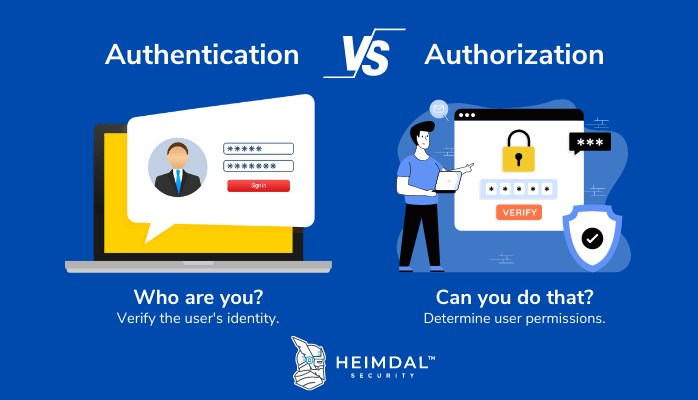
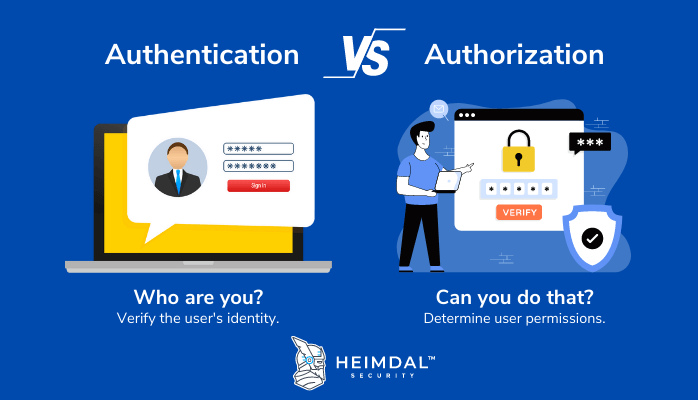
Authentication is the process of proving who you are — like showing your ID at the door before entering
Authorization is about what you’re allowed to do once you’re inside — like whether you get access to the VIP lounge or not
This blog will explain you about
What is Authentication? — how apps verify your identity
What is Authorization? — how permissions are decided
Authentication vs Authorization — key differences between both
How they work together — the flow of a real-world app using both
Why it matters — for security, user experience, and access control
Common mistakes developers make — the security pitfalls you need to avoid
Best practices for implementation — practical steps to secure your app like a pro
By the end of this post, you’ll be able to clearly distinguish between the two, spot them in real-life apps, and implement them with confidence in your own projects.
Alright, let’s dive into the blog.
What is Authentication?
Authentication is the process of verifying the identity of a user to ensure they are who they claim to be — and that they’re allowed to access the system, network, or data.
💡 Imagine this: You walk up to your apartment building after a long day. Before you can go in, the security guard stops you.
He asks, Who are you?
You pull out your ID card and show your face.
The guard checks it, and says, Alright, you are good to go. He unlocks the gate.

That’s authentication right there — the process of proving your identity. The building doesn’t care what you plan to do inside (watch Netflix, raid the fridge, sleep for 12 hours) — it just needs to make sure it’s really you before letting you in.
Types of Authentication
Password Based Login ( Single Factor Authentication ):
Password authentication is one of the most common methods of verifying a user’s identity. It involves the user entering a username and password , which should ideally be a strong combination of letters, numbers, and special characters.
Multi Factor Authentication:
Multi-Factor Authentication enhances security by requiring users to provide two or more independent factors to gain access to a resource. Users can verify their identity using a mix of:
Password
SMS or Email OTP
Biometric verification
Single Sign-On Authentication ( SSO ) :
Single Sign-On allows users to authenticate once and gain access to multiple applications or systems using a single set of credentials. It eliminates the need to remember separate usernames and passwords for every service.
🖋️ You log into your Google account once, and now you can access Gmail, Google Drive, YouTube, and more — all without re-entering your password.Biometric Authentication:
Biometric authentication verifies a person’s identity based on their unique biological characteristics. Common Biometric factors are
Fingerprint
Retina & Iris
Facial Recognition
Voice Recognition
Token-Based Authentication:
In Token-Based Authentication, once a user successfully logs in, the system issues a secure digital token — like a digital key. This token allows access to protected resources without re-entering credentials, until the session ends or the token expires.
How Token-Based Authentication Works (Step-by-Step):
Request: The user logs in using their credentials, sending an access request to the server or protected resource.
Verification: The server checks the login information to ensure the user is valid, such as matching the password with the username.
Token Submission: The server generates a secure, signed authentication token for a set period of time.
Storage: The token is sent back to the user’s browser, which stores it for future access. When the user accesses a protected resource again, the token is decoded and verified. If it matches, access is granted.
👉🏻 JSON Web Token
     In web development, web tokens usually mean JSON Web Tokens (JWTs). A JWT is a standard for creating digitally signed web tokens that contain JSON data. The server creates a token that proves the client’s identity and sends it to the client. JWTs use digital signatures to ensure the token is legitimate.

JWT Components:
1. Header: Contains information about the type of token (JWT) and the method used to sign it.
2. Payload: Holds JSON data, including claims about the user’s identity and permissions for accessing resources.
3. Digital Signature: Cryptographically signs the header and payload to ensure the token is authentic and untampered — like a tamper-proof seal on a canister.
What is Authorization?
Authorization is the process of determining and granting access rights to an authenticated user. It defines which resources a user can access and what actions they are allowed to perform. This step happens after authentication and ensures that only permitted users can perform specific tasks.
💡 Remember the apartment building analogy?
1. You’ve already shown your ID and entered the building — that’s authentication (proving who you are).
2. Now, the security guard checks whether your keycard lets you into the gym or the rooftop lounge.
3. You might be able to enter your own apartment, but not the VIP penthouse.
This is authorization — deciding what you can and can’t do after your identity has been verified.
Types of Authorization
Discretionary Access Control (DAC)
The owner or creator of a resource has complete authority over who can access it and what actions they can perform.
Access rights are determined based on the specific user or their membership in an access group.
The owner can grant different permission levels, such as read-only, edit, or full administrative control.
🤔 You own a Google Doc. You choose who can view, comment, or edit it. If you give a friend edit access, they can also share it with others.Mandatory Access Control (MAC)
The Access permissions are enforced by a central authority, not by the resource owner.
The operating system or security framework assigns security labels (like “Confidential,” “Secret,” or “Top Secret”) to both users and resources.
Users can only access a resource if their clearance level matches or exceeds the resource’s classification.
The rules are strict and cannot be changed by individual users, even if they own the resource.
🤔 Think of a military base. Even if a general trusts you, you can’t just walk into a “Top Secret” room unless your security clearance matches the level — the system enforces it.Role-Based Access Control (RBAC)
The Access is determined by the role a user has within an organization, rather than by the individual user’s identity or a central clearance level.
The administrators define roles (like Admin, Manager, Employee, Guest) and assign specific permissions to each role.
Users are then assigned to one or more roles, automatically inheriting the permissions tied to those roles.
This makes it easier to manage large systems because changing a user’s role instantly updates what they can access, without needing to edit individual permissions.
🤔 In a company HR system,
- Admins can add or remove employees.
- Managers can see and approve leave requests.
- Employees can only see their own profile.
You get permissions automatically when your role changes.
Attribute-Based Access Control (ABAC)
The Access is determined by evaluating attributes (characteristics) of the user, the resource, the action, and the environment against a defined policy.
The permissions aren’t fixed to specific roles or individuals — instead, the system checks whether all the attributes in the policy are true before granting access.
Attributes can include user details (e.g., department, clearance level), resource details (e.g., document type, classification), action type (e.g., read, write, delete), and environment conditions (e.g., location, time of day, device used).
🤔 A banking app might allow:
- A manager to approve loans only if they are in the office during working hours.
- A customer to make transactions only from their registered country and under ₹1,00,000 without extra verification.
Authentication Vs Authorization
How Authentication and Authorization Work Together
Authentication and Authorization are Instagram’s two main security guards.
The first guard — authentication — is the one at the entrance asking, “Who are you?”
The second guard — authorization — is inside, making sure you’re only doing what you’re allowed to.
And both need to work together. If one isn’t doing their job, your privacy and security can easily be compromised.
Let’s Walk Through Instagram as an Example
Step 1: Opening the App
Imagine you open Instagram because you want to check your feed or see someone’s profile.
Step 2: Authentication – “Who Are You?”
The first thing Instagram does is ask for your username/email and password (or it lets you log in with Facebook).
If you enter the correct details, Instagram confirms your identity.
If you enter the wrong details, that’s it — you can’t even get in to see your feed.
Step 3: Authorization – “What Can You Do?”
Now Instagram knows who you are, but it still needs to decide what you can and can’t do. For example:
Can you view private accounts he’s not following? No.
Can you post a story? Yes.
Can you delete someone else’s post? Of course not.
Step 4: Access Decision
Let’s say you try to view a private profile:
If you’re an approved follower, the posts and stories will show.
If you’re not, you’ll see This account is private.
Step 5: Ongoing Checks
Even after you’ve logged in, Instagram doesn’t just stop checking permissions:
Liking a post works only if the account is public or you’re a follower.
Viewing archived stories works only if you’re on that person’s “Close Friends” list.
Why They Must Work Together
If there’s authentication without authorization → You could log in and see anything you wanted, which would break privacy rules.
If there’s authorization without authentication → Instagram wouldn’t even know who you are, so it couldn’t apply the right rules.
Why Authentication and Authorization Matters
In any application — whether it’s social media, banking, or e-commerce — authentication and authorization are your primary shield against security threats. They don’t just protect the app’s data, they also safeguard the trust between the platform and its users.
Here’s why they’re important:
Security — Prevents unauthorized users from accessing accounts, stealing data, or performing harmful actions.
Privacy — Ensures that personal and sensitive information is only visible to the right people.
User Experience — Gives users a customized experience, showing them only the features and data relevant to them.
Stay Legal and Safe — Helps your app follow important rules and laws like GDPR, HIPAA, or PCI-DSS so you avoid fines and legal trouble.
Limit the Damage — If someone hacks an account, strong authorization rules can stop them from accessing everything and causing bigger problems.
💡 GDPR — General Data Protection Regulation, an European Union (EU) law that sets rules for how companies handle personal data.
   HIPAA — Health Insurance Portability and Accountability Act, a U.S. law that protects the privacy of patient health information.
   PCI-DSS — Payment Card Industry Data Security Standard, a global set of rules for keeping credit card data secure.
Common Mistakes that Developer Make
1. Ignoring Input Validation
Failing to validate and sanitize user inputs can lead to vulnerabilities like SQL Injection and Cross-Site Scripting (XSS), which attackers exploit to manipulate or steal data.
How to Avoid:
Only allow input that matches expected patterns, such as letters, numbers, or specific symbols.
Use prepared statements or parameterized queries instead of combining text to make database commands.
Remove or safely encode unusual or dangerous characters before storing or showing the data.
2. Weak Authentication Mechanisms
Using simple or outdated authentication methods makes it easier for attackers to gain unauthorized access, compromising user data and system integrity.
How to Avoid:
Use Multi-Factor Authentication (MFA): Require something the user knows (password) and something they have (like a code sent to their phone).
Strong Passwords: Ask users to create passwords with letters, numbers, and symbols, and update them regularly.
Trusted Login Systems: Use services like Google or Facebook login to handle authentication securely.
Biometric Login: Use fingerprints or face recognition for stronger security.
3. Inadequate Error Handling
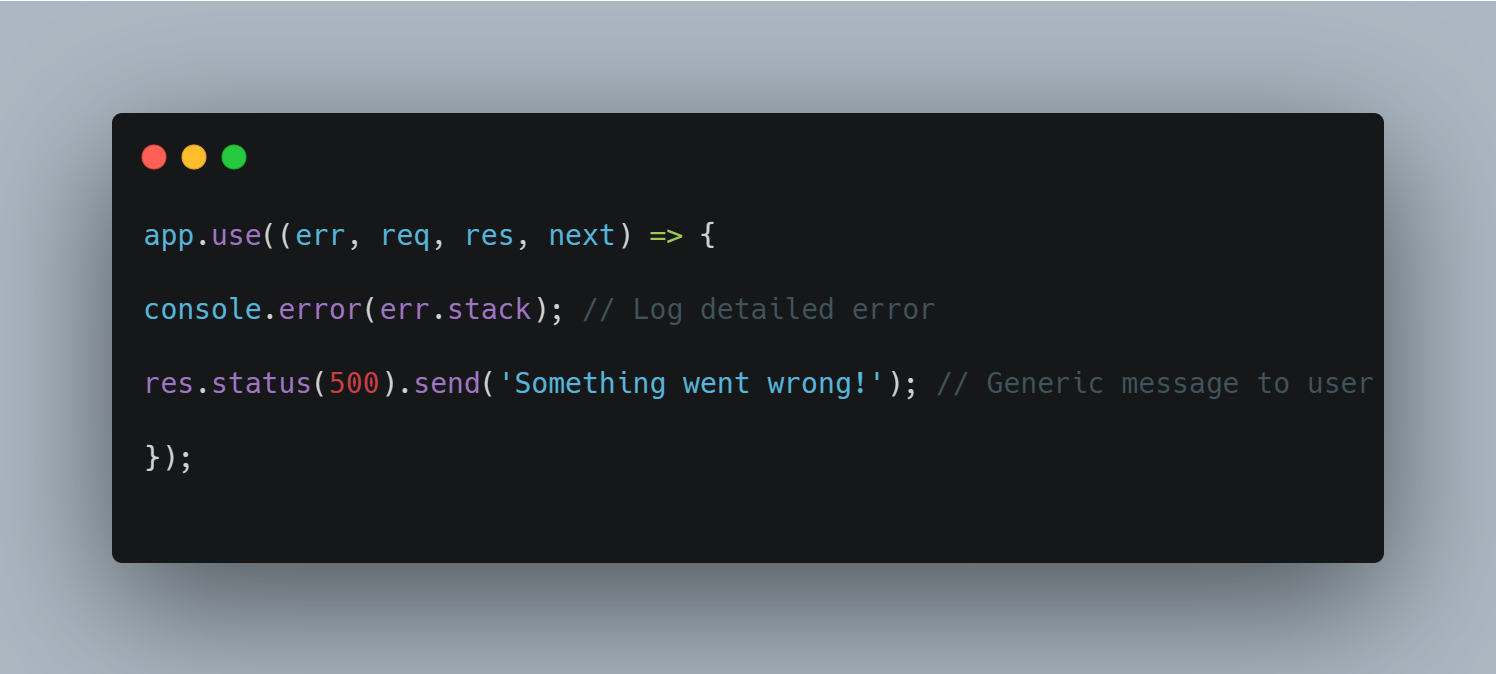
Detailed error messages can reveal system information that helps attackers exploit vulnerabilities.
How to Avoid:
Generic Error Messages: Avoid disclosing system details by showing user-friendly, non-specific error messages.
Secure Error Logging: Store detailed error logs in secure locations accessible only to developers.
Custom Error Pages: Provide a better user experience without compromising security by directing users to custom error pages.
4. Improper Session Management
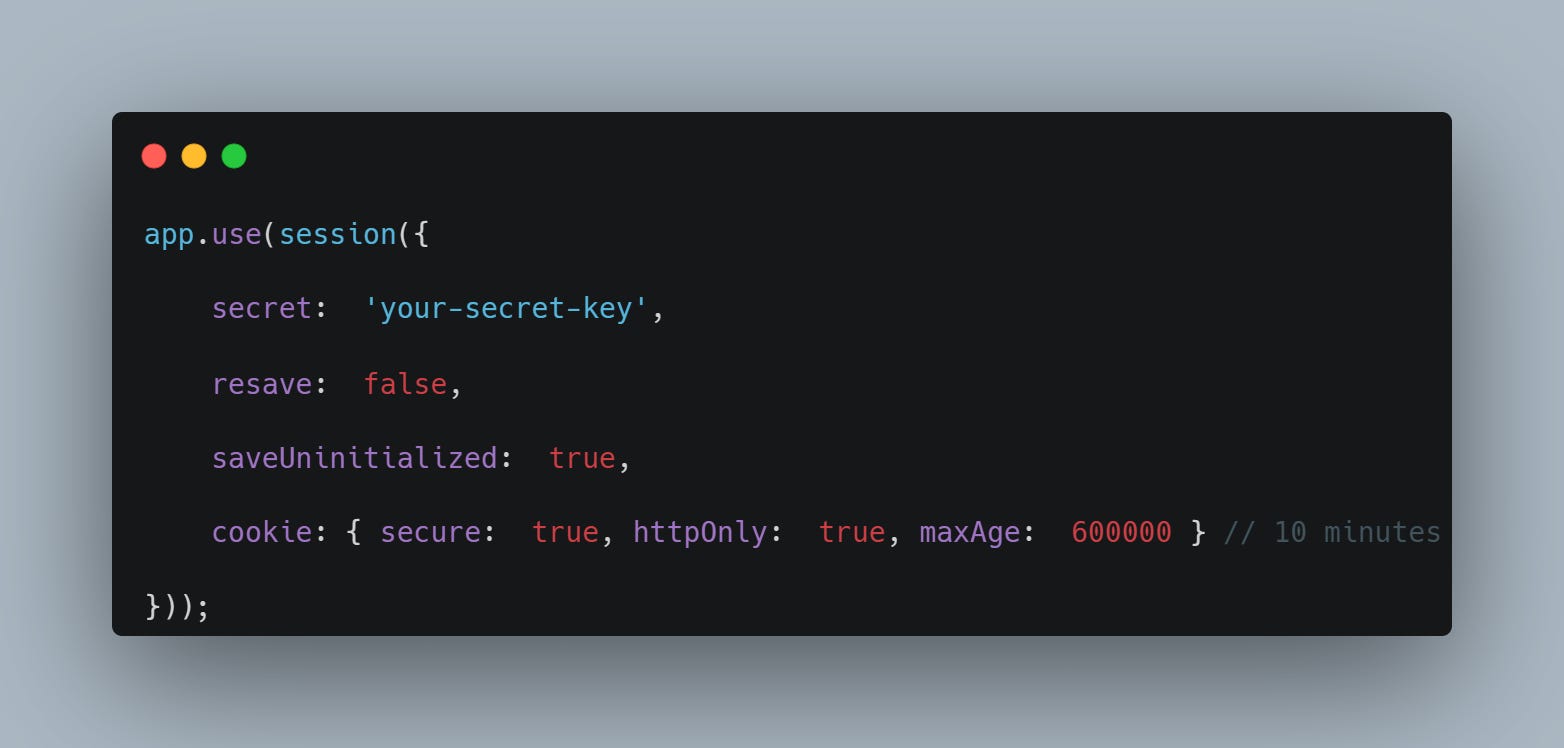
Exposing session IDs or not expiring sessions can lead to session hijacking and unauthorized access.
How to Avoid:
Use Secure Cookies: Set HttpOnly and Secure flags to prevent client-side scripts from accessing session data and ensure they’re sent over HTTPS.
Implement Session Expiration: Automatically log out users after periods of inactivity.
Regenerate Session IDs: Change session IDs after login to prevent session fixation attacks.
5. Lack of Encryption
If sensitive data isn’t encrypted, attackers can steal or read it during storage or transmission.
How to Avoid:
Encrypt Data: Use HTTPS (TLS/SSL) for sending data and strong encryption like AES for storing it.
Manage Keys Safely: Change encryption keys regularly and store them securely.
Don’t Hardcode Secrets: Use secure tools to store passwords, API keys, or other sensitive info.
6. Insufficient Access Controls
Granting excessive permissions to users or components violates the principle of least privilege, increasing the risk of unauthorized actions.
How to Avoid:
Role-Based Access Control (RBAC): Assign permissions based on user roles to limit access.
Review Access Rights Regularly: Regularly audit and adjust permissions as necessary.
Access Control Libraries: Use libraries like CASL to manage permissions.
Conduct Regular Audits: Perform penetration testing to identify weaknesses in access control.
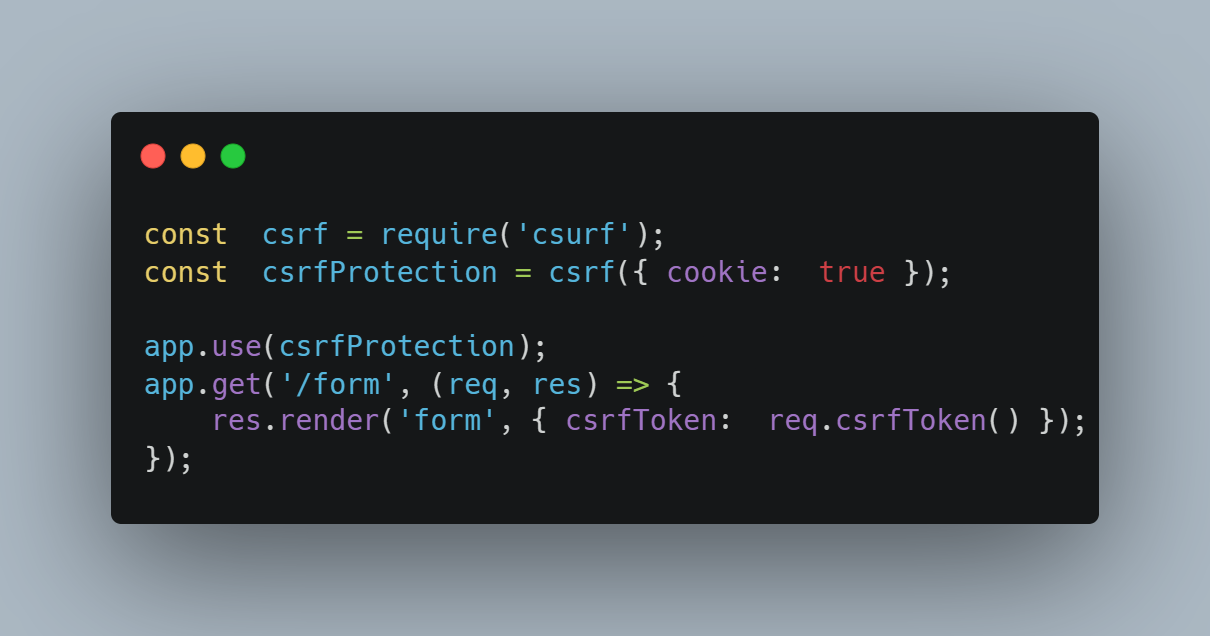
7. Failure to Protect Against Cross-Site Request Forgery (CSRF)
Failing to implement measures to prevent CSRF allows attackers to make unauthorized requests on behalf of a user.
How to Avoid:
Use CSRF Tokens: Ensure all forms include a unique token that the server verifies.
SameSite Cookies: Set the SameSite attribute to Strict or Lax.
Validate Referers: Ensure requests come from trusted sources by checking the Referer header.
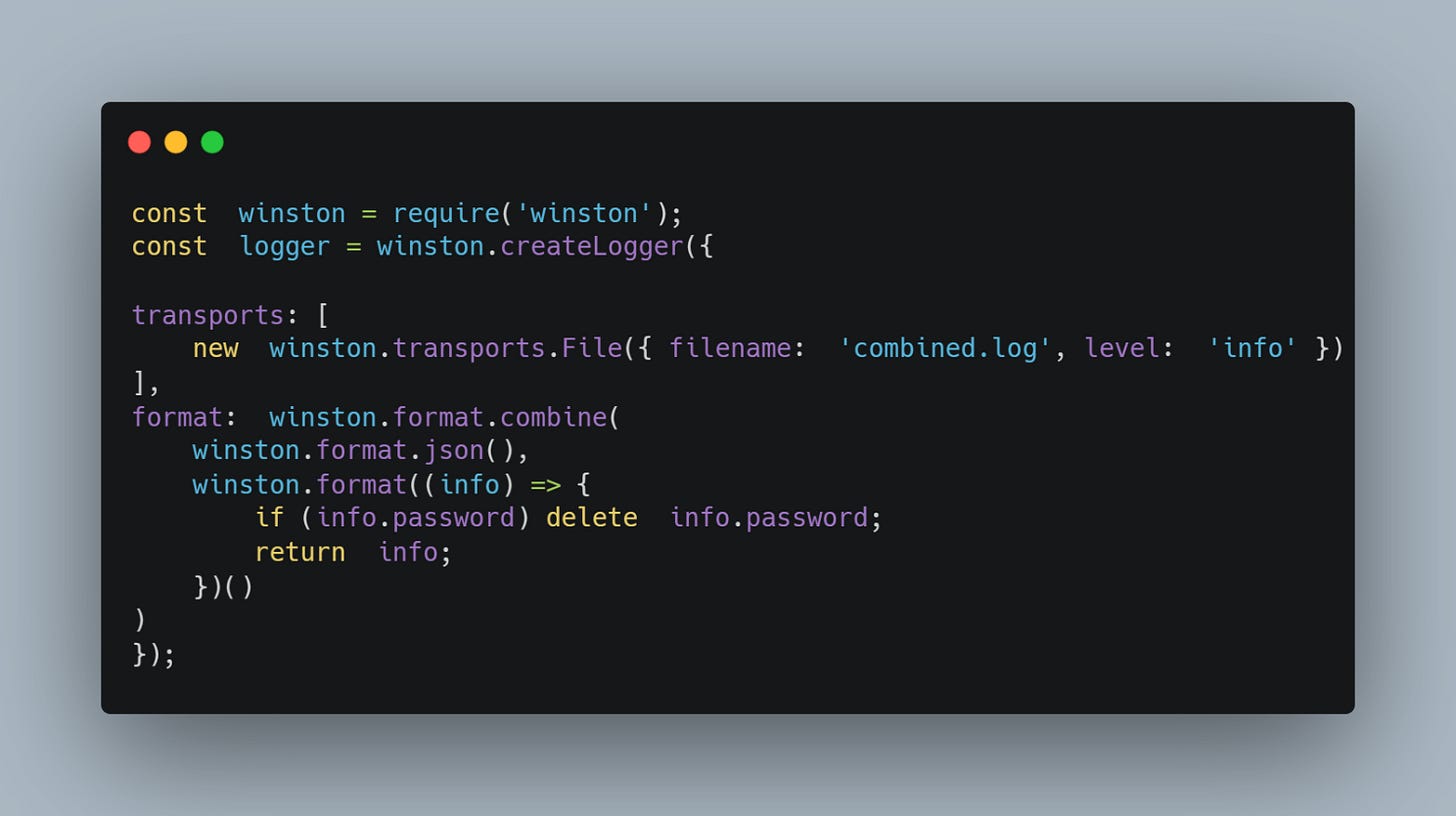
8. Improper Logging Practices
Logging sensitive information like passwords or credit card numbers can lead to data breaches if accessed by unauthorized parties.
How to Avoid:
Exclude Sensitive Data: Filter out or mask sensitive fields in logs.
Secure Log Storage: Protect log files with proper access controls.
Implement Log Rotation and Retention: Manage logs efficiently to prevent unauthorized access.
9. No Rate Limiting
If you don’t limit how many requests a user or app can make, attackers can overload your system, causing it to crash or slow down.
How to Avoid:
Set limits on how many requests a user can make in a certain time period.
Monitor traffic to spot unusual activity and adjust limits as needed.
10. Neglecting Security Testing
If you don’t regularly check your app for security problems, attackers can find and exploit weaknesses.
How to Avoid:
Include security scans in your development process using tools like Snyk or OWASP ZAP.
Perform regular penetration tests to find and fix vulnerabilities.
Use code analysis tools (static and dynamic) like SonarQube or Burp Suite to spot issues during development and runtime.
Conclusion
Authentication and authorization work together to keep apps secure. Authentication confirms who the user is, while authorization decides what they can access. Together, they:
Protect sensitive data from unauthorized access
Maintain user privacy
Ensure a smooth user experience
By using token-based authentication (like JWTs), enforcing strong passwords and session management, and performing regular security checks, developers can avoid common pitfalls and build apps users can trust.
Keep exploring, and happy learning! 🚀
The Daily Spark
Imagine you’re on a new app and you see options like “Sign up with Google”, “Sign up with Microsoft”, and “Sign up with Facebook”. You click “Sign up with Google” and instantly get access to the app without ever typing your Google password into the app itself.
How does OAuth allow you to log in to this app without sharing your actual password?